


HubSpot - An Excellent Inbound Marketing Platform!
When it comes to Inbound marketing, the first premium and user-friendly platform that springs to mind is HubSpot, right?
“HubSpot is a prominent content management system (CMS) used for inbound marketing and email campaign activities. HubSpot offers individual hubs with specific business requirements. One of the useful hubs is the operations hub. Let us introduce what is HubSpot Operations Hub.”
What is HubSpot Operation Hub?
HubSpot Operations Hub is a crucial addition to the HubSpot portfolio, alongside “Marketing Hub, Sales Hub, Service Hub, and CMS Hub.”
This proficient tool is intended to automate and improve the efficient handling of client data.
HubSpot’s most recent operations software, Operations Hub, was released in 2021 and stands out as a distinct addition to the HubSpot family of products.
It adds unique functionality and features that differentiate it from other hubs. This hub separates itself from the rest of the HubSpot family by bringing additional HubSpot operations hub features and capabilities that are not present in other hubs. After knowing this excellent inbound marketing platform’s capability organizations are willing to HubSpot development to boost their ROI.
“We compiled the end-to-end information and will explain what HubSpot Operations Hub is, what it is designed to do, and how can it help you optimize your business operations by increasing efficiency, giving important insights, and improving platform coherence.”
We will additionally go over the HubSpot operations hub pricing plans and HubSpot operations hub features.
What is more, HubSpot Operations Hub is intended to streamline corporate operations, resulting in increased efficiency, useful insights, and greater platform coherence.
It plays an important role in automating numerous operational areas, resulting in more effective consumer data management.
The HubSpot Operation Hub Features!
HubSpot Operations Hub has many capabilities aimed at streamlining operations, automating jobs, and improving customer data management. Here’s an in-depth look at several essential HubSpot operations hub features.
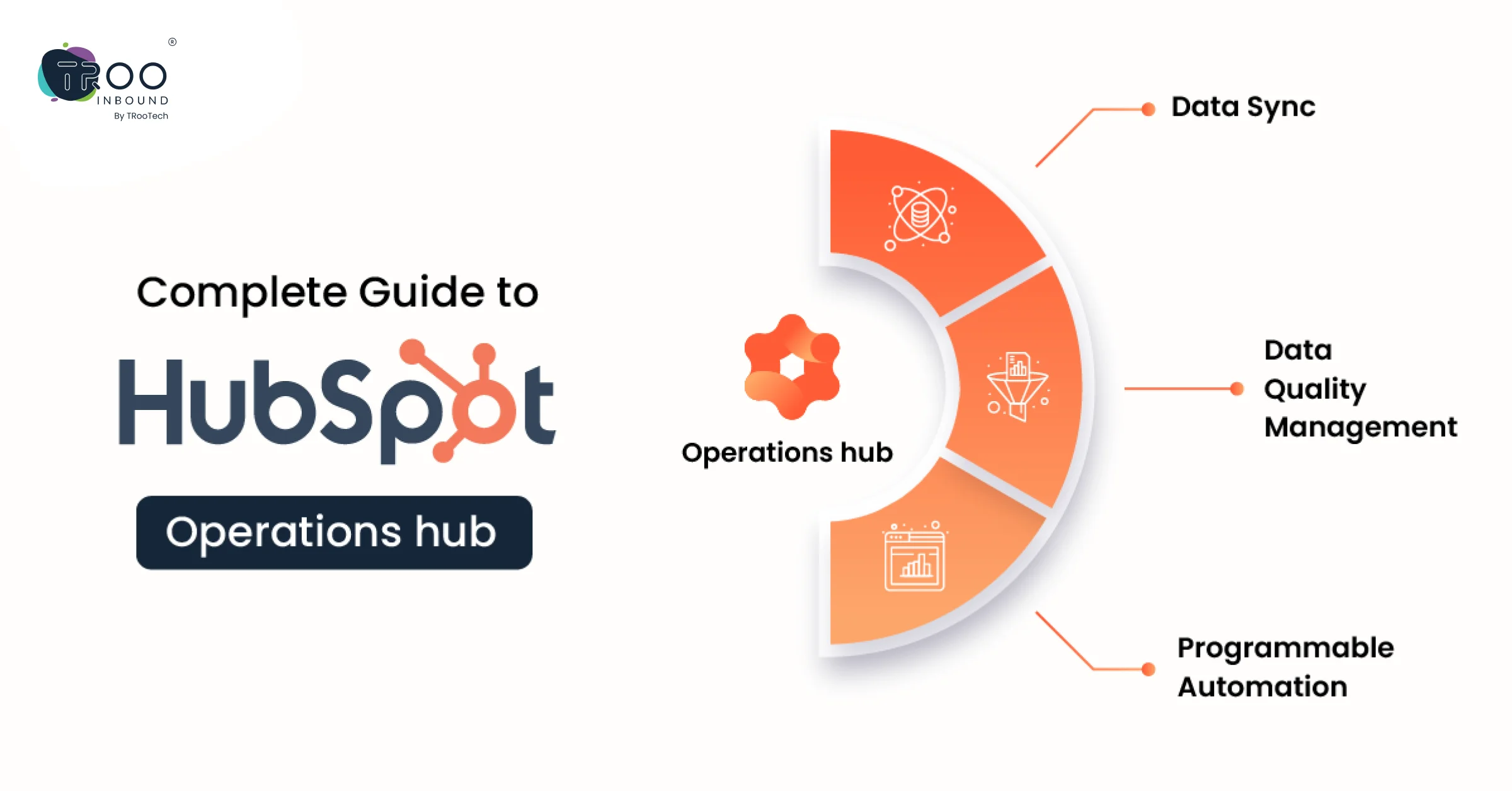
1. Data Quality Automation:
To maintain high-quality client data HubSpot operations hub includes automated data cleansing, standardization, and validation to assure correctness and consistency. It is mainly useful for enterprise-level businesses where managing client data is challenging.
2. Automation & Workflow Builder:
3. Integration & Synchronization:
4. HubSpot App Marketplace Integration:
HubSpot operation hub increases functionality through third-party apps. Also, it integrates with the HubSpot App Marketplace, allowing users to access additional tools and services.
5. Custom Objects:
6. Advanced Reporting & Analysis:
7. Task Automation:
8. Ticketing & Customer Service Automation:
9. Scalable API Access:
10. Data Privacy & Compliance Tools:
This is one of the important HubSpot operations hub features that ensures compliance with data protection rules. It assists users in complying with data privacy requirements and ensuring the security of consumer information. This is crucial for the organization to secure the customer’s data.
With its extensive range of capabilities, HubSpot operations hub features strive to provide organizations with the tools to manage customer data efficiently and effectively, automate operations, and integrate seamlessly with other business apps.
How to Setup HubSpot Operations Hub?
It is imperative to know how to set up this amazing inbound marketing platform in easy steps. Let us teach you simple steps of HubSpot Operations Hub setup:
The straightforward steps are as:
Create account > Subscribe Hub > Access Dashboard > Access Operation Hub > Explore the Dashboard > Setup data QA > Integrate and Synchronize data > Explore HubSpot Marketplace > Custom Object Setup > Report & Analytics > Task and customer service Automation > API Access > Data Privacy > Training & Support
Let’s know more about these steps in detail:
HubSpot Operations Hub setup entails numerous stages to guarantee seamless connection and maximum operation. Here’s a full tutorial for HubSpot Operations Hub setup.
1. HubSpot Account Creation:
2. HubSpot Operations Hub Subscriptions:
Subscribe to the HubSpot Operations Hub. Select the membership package that best meets your company’s needs.
3. HubSpot Dashboard Access:
Log in to your HubSpot account to view the dashboard functionality.
4. Operations Hub Navigation:
Once on the dashboard, go to the HubSpot Operations Hub area. This is normally located in the main navigation menu.
5. Dashboard Functionality:
6. Data Quality Automation Setup:
7. Creating Workflows:
8. Integration & Synchronization Configuration:
9. Configure HubSpot App Marketplace:
10. Custom Object Setup:
11. Advanced Reporting and Analysis:
12. Task Automation Configuration:
13. Ticketing & Customer Service Automation:
14. Scalable API Access:
15. Data Privacy & Compliance:
16. Training & support:
Make use of HubSpot’s training and support documentation. Make sure your team understands how to do HubSpot operations hub setup and use this excellent hub.
The best HubSpot operations hub advantage is it offers training and support to the users. Take advantage of available training resources and support documentation.
Ensure that your team is familiar with the setup and functionality of HubSpot Operations Hub.
As you set up your account, HubSpot may provide you with step-by-step guides or tutorials. You can also contact HubSpot’s customer support if you need assistance.
Configure HubSpot Operations Hub to fit your business processes with the help of these steps. Streamline your marketing tasks with HubSpot marketing automation, and improve customer data management.
If needed, examine HubSpot’s help materials or contact their support staff during the HubSpot operations hub setup process. Let’s walk on the HubSpot operations hub pricing in the next section.
HubSpot Operations Hub Pricing:
HubSpot Operations Hub Professional Pricing
Comprehensive operations software to automate and scale processes start at just $800/month & $8,640/year.
Starter Plus:
- Programmable automation
- Scheduled workflow triggers
- Data health trends
- Bulk duplicate management
- AI-powered data formatting recommendations
- Data quality command center
Enterprise HubSpot Operations Hub Pricing
Most powerful operations software for advanced control and flexibility starts at just $2,000/month & $24,000/year.
HubSpot Operations Hub Professional Plus:
- Standard sandbox account
- Advanced permissions
- Advanced data calculations and preps
- Custom objects
- Snowflake data share
- Datasets
The given HubSpot operations hub pricing plans are best if you are looking for inbound marketing subscriptions. Choose according to your business needs.
HubSpot Operations Hub Features Comparison Sheet:
| Features | HubSpot Operations Hub Professional | Operations Hub Enterprise |
|---|---|---|
| Pricing | $800/month & $8,640/year. | $2,000/month & $24,000/year. |
| Custom properties | 1,000 custom properties per object. | 1,000 custom properties per object. |
| Product library | Up to 15 million products | Same as HubSpot Operations hub Professional |
| Email health reporting | Additional features | Same as HubSpot Operations hub Professional |
| Reporting dashboard | 325 dashboards, 30 reports per dashboard | 350 dashboards, 30 reports per dashboard |
| List segmentation | 1,100 active lists and 1,000 static lists | 1,600 active lists and 1,500 static lists |
| Permission sets | Permission templates only | Customize and save your permission sets |
| Calculated properties | 5 calculated properties | 200 calculated properties |
| Presets | Up to 5 presets | Up to 100 presets |
| Custom reporting | Up to 3,100 custom reports | Up to 3,500 custom reports |
| Team | Up to 10 teams | Up to 300 teams |
| Standard contact scoring | 5 contact-scoring properties | 25 contact scoring properties |
| Advanced data calculations and prep | – | Create up to 20 derived fields per dataset using a combination of properties, operators, and functions. |
| Standard sandbox account | – | One standard sandbox + up to 100K contacts/account. In workflows, enroll up to 100K records/day/sandbox. |
Looking for a HubSpot CMS Migration Services?
FAQs:
1. What is Operation Hub?
Operations hub is an operation software designed to help technical teams connect apps, sync, and clean customer data, and automate business processes.
Operations Hub is available in three editions: Free, Starter, and HubSpot Operations Hub Professional. Each HubSpot hub plan serves individual business requirements and includes tools to solve specific customer problems. Whether you work for a small business or a booming enterprise, these different hub plans cater to every single business’s need.
2. What type of support does HubSpot Offer?
The types of support available to you depend on which Operations Hub plan you purchase. With Operations Hub Starter, you’ll have access to email support. With HubSpot Operations Hub Professional, you’ll gain access to email and phone support.
Multi-language support is available for all Operations Hub users. HubSpot supports English, French, German, Japanese, and Portuguese, among other languages. For the full list of languages HubSpot supports, view HubSpot’s language offering.
All Operations Hub users (including free HubSpot users) can also chat with fellow software users in the HubSpot Community, sharpen their skills in HubSpot Academy, and get expert advice on HubSpot tools in the Knowledge Base.