


Paid ads are worth investing in if you want to improve your reach and also target specific audiences. For that, Google Ads is one of the best things to try.
Running Google Ads is more than just writing catchy copy, setting bids, and spending per campaign. It’s about understanding who you’re bidding against or how often they beat you. That’s exactly what the Google Ads Auction insights report helps you uncover.
This underrated reporting tool reveals how your ads perform compared to others competing for the same audience. It also shows their key metrics like impression share, overlap rate, and outranking share so that you can refine your bidding strategy and better understand your ad position in real time.
If you want to explore this Google Ads feature in detail, this blog is all you need. We will explore what this report tells you, how to interpret its metrics, and how to use that data to build and run more strategic ad campaigns. Let’s start then!
About Google Ads Auction Insights Report
Whenever a person sends a search query to Google, an instant auction happens behind the scenes (or, say, screen!) Google Ads uses this auction to determine which ads appear, their order, and how much each advertiser pays.
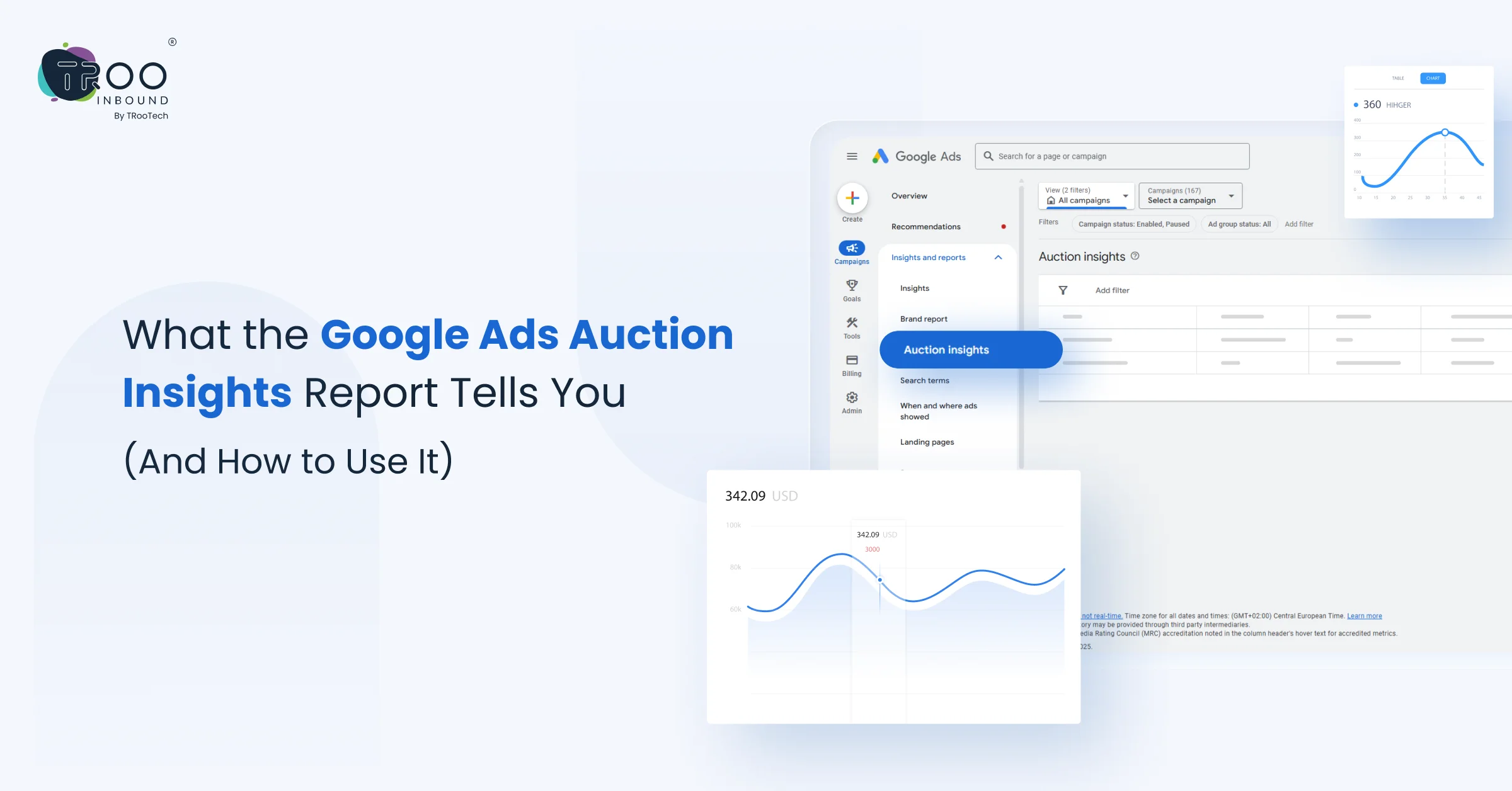
The Google Ads auction insights report is a competitive analysis feature that gives advertisers visibility into how their ads perform compared to others bidding on the same keyword.
It pulls real-time data from the auctions your ads participate in and compares your ad’s performance with other advertisers in the same auction. This gives you visibility of competitors you may not even know you’re up against.
In short, the Google Adwords Auction Insights report brings a broader perspective of ads from you and your competitors. By looking at it, you will understand how often your ad appears compared to others, which competitor outranks you, and the total impression share your ads capture.
Steps to Access Auction Insights In Google Ads
You can access the Google Ads Auction Insights Report directly from your Google Ads account by following these steps:
- Log in to your Google Ads account.
- In the left-hand menu, click on Campaigns, Ad groups, or Keywords depending on the level you want insights for.
- Select the checkbox next to the campaign, ad group, or keyword you want to analyze.
- At the top of the table, click on the “Auction insights” button.
- The Auction Insights Report will show how your performance stacks up against other advertisers participating in the same auctions.
If you’re unsure how to make the most of this report or want to maximize its value, consider exploring our PPC management services for expert support and strategic insights.
Key Metrics You’ll See In Google Auction Insights
Impression share
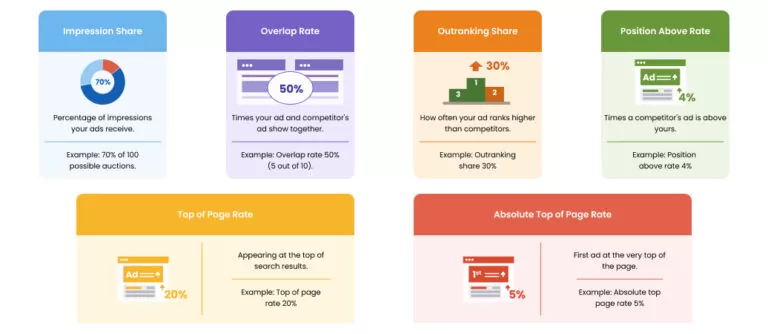
This metric in the Google Ads auction insights report shows the percentage of impressions your ads received compared to the total number they were eligible for. A low impression share may signal budget limitations or low ad rank.
Example: If your impression share is 70%, your ads appeared in 70 of 100 possible auctions.
Overlap rate
The percentage of times your ads and a competitor’s ads were shown at the same time. A high rate means you’re frequently in direct competition. It helps you identify frequent competitors bidding on the exact keywords.
Example: If your overlap rate shows 50% that means 5 out of every 10 times your ad showed, and an ad from your competitor also showed.
Outranking share
It shows how often your ad ranked higher than a competitor’s or appeared when theirs didn’t. It’s a useful metric when analyzing who’s dominating your niche and how often you beat them.
Example: If your outranking share shows 30%, it means your ads have won over 3 out of 10, or 30% out of total auctions that it entered, along with the competitors.
Position above rate
Tells you how often another advertiser’s ad appeared above yours in the auction. If this number is high, it may be time to refine bids or ad quality.
Example: If the Position above rate shows 4%, it means that the competitor’s ad showed in a position above yours in 4 out of every 100 times your ads showed at the same time.
Top of page rate
This metric of the Google Ads Auction Insights Report Shows how often your ad appeared above organic search results. It’s useful for understanding visibility, especially in competitive auctions.
Example: If the Top of Page Rate shows 20%, it means that out of 100 impressions, your ad appeared above organic results in 20 impressions.
Absolute top of page rate
This metric shows how often that ad was shown at the absolute top of the page as the very first ad above unpaid search results.
Example: If the absolute top-page rate is 5%, it has 5 impressions out of 100, and it appears as the first ad above organic searches.
Viewing each of these metrics in the auction insights in Google Ads report gives you a different lens and a 360° view to track how your strategies and ads are performing relative to others in the same environment.

How to Use Google Ads Auction Insights Report
1. Optimize Your Bidding
If you notice your impression share or position above rate declining, it might be time to raise your bids, especially if key competitors are becoming more aggressive. Conversely, if you’re consistently outranking others, lowering bids can improve efficiency.
Use auction insights Google Ads data to identify less competitive times or focus on long-tail or niche keywords where the competition (and cost) is lower, but the intent is still high.
2. Identify Key Competitors
3. Refine Your Ad Copy & Extensions
4. Improve Your Ad Rank
5. Adjust Budget Allocation
Mistakes to Avoid While Using Google Adwords Auction Insights
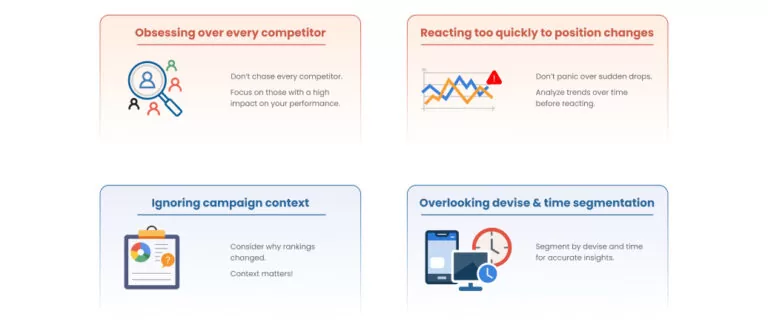
> Obsessing Over Every Competitor
> Reacting Too Quickly to Position Changes
> Ignoring Campaign Context
> Overlooking Device and Time Segmentation
Turning Google Ads Insights Into Benefits
The Google Ads auction insights report is one of the most underused yet powerful tools in your PPC toolkit. By regularly reviewing this report, you can pinpoint which advertisers are gaining ground, where your ads are falling short, and how often you’re truly winning in the auction.
Whether you’re managing a single campaign or overseeing multiple accounts, these insights let you stay competitive without simply increasing your budget.
Don’t treat this report as an afterthought because even slight shifts in impression share or outranking share can signal big changes in your market. Build it into your monthly performance reviews and let the data guide you toward more efficient and effective advertising.
Need help turning Ads Auction insights into action? TRooInbound offers expert PPC management that leverages data like this to maximize your ad performance. Let’s grow smarter and bigger together.